- ARTICLE

How To Improve UI UX For A Website: 15 Proven Ways
Explore how AI in digital marketing boosts efficiency, personalised content, and improves ROI with automation, analytics, and smart strategy.
Explore how AI in digital marketing boosts efficiency, personalised content, and improves ROI with automation, analytics, and smart strategy.
INTRODUCTION
How to improve UI UX for a website is a crucial aspect of building effective digital experiences that attract, engage, and retain users. A website is often the first interaction people have with a business. If the interface is confusing or the experience feels slow and frustrating, visitors are unlikely to stay long. This is why improving UI (User Interface) and UX (User Experience) is essential for any website aiming to attract, engage, and convert users.
UI focuses on the visual and interactive elements of a website such as layout, buttons, colors, and typography. UX focuses on the overall experience users have while navigating the site from the moment they arrive until they complete a task.
At Aseef IT Co Holding, teams working on website development and product design regularly evaluate user behavior, navigation patterns, and performance metrics to build digital experiences that are intuitive and efficient. Applying these principles helps businesses create websites that are not only visually appealing but also easy to use.
In this guide, we explore 15 proven ways to improve UI UX for a website based on industry practices and real-world usability principles.
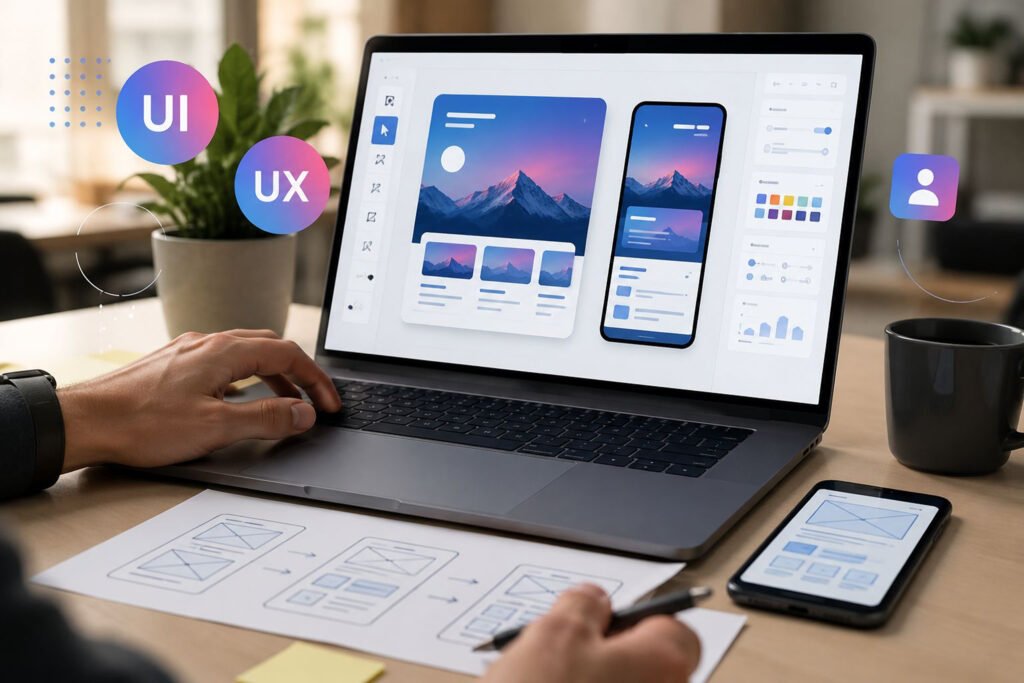
How To Improve UI UX For A Website?
Key Ways to Enhance UI and UX of Your Website
1. Simplify Website Navigation
Clear navigation is one of the most important elements of good UX. Visitors should be able to find important information quickly without feeling lost.
UX specialists often recommend limiting the main navigation to essential categories and organizing pages logically. This structure helps users understand how the website is organized and allows them to reach important pages within a few clicks.
2. Improve Website Loading Speed
Website speed has a direct impact on user experience. Slow-loading pages often lead to higher bounce rates because visitors prefer websites that respond quickly.
Experienced web developers improve performance by optimizing images, compressing files, reducing unnecessary scripts, and implementing efficient hosting solutions.
3. Use A Responsive Design
Modern websites must work smoothly across multiple devices. A responsive design automatically adapts the layout and elements of a website to different screen sizes.
Our UX professionals emphasize the importance of mobile usability because a large portion of website traffic now comes from smartphones and tablets.
4. Maintain Visual Consistency
Consistency improves usability and builds trust. When colors, fonts, icons, and layouts remain consistent across pages, users quickly become familiar with the interface.
Our branding and visual identity design team follows style guidelines and design systems to maintain this consistency throughout the website, ensuring that every page feels like part of the same cohesive experience.
5. Create CTA Buttons
Call-to-action buttons guide users toward the next step, whether it is requesting a service, signing up, or contacting a company.
Effective CTAs are visually distinct and use clear language that communicates the value of taking action. Aseef’s UI/UX design specialists often test different placements and styles to determine which options perform best, combining usability testing with interactive prototyping.
7. Use High-Quality Visual Elements
Visual elements such as images, icons, and illustrations improve both UI and UX by making information easier to understand.
Our professional design teams carefully select visuals that support the content and enhance the overall interface without overwhelming the user.
8. Focus On Accessibility
Accessibility ensures that websites can be used by a wide range of people, including those with visual or physical impairments.
Best practices include providing alt text for images, ensuring strong color contrast, and supporting keyboard navigation. These improvements make websites more inclusive and easier to use.
9. Reduce Cognitive Load
Cognitive load refers to the amount of mental effort required to use a website.
UX experts recommend simplifying layouts, reducing unnecessary elements, and prioritizing key information. A clean design allows users to focus on what matters most. This principle is applied across all of Aseef’s custom software development and product design engagements, where interface simplicity directly impacts user adoption.
10. Provide Instant Feedback
Users expect clear responses when interacting with a website.
For example, form submission confirmations, progress indicators, and button animations help users understand that their actions are being processed. These small details significantly improve user confidence and satisfaction. In complex platforms like the ones built during MVP development, thoughtful micro-interactions are built in from the earliest prototype stages.
11. Optimize Forms For Better Usability
Forms are common conversion points on websites, so they should be simple and easy to complete.
UX professionals recommend limiting the number of fields, using clear labels, and providing helpful error messages when users enter incorrect information.
12. Use Visual Hierarchy Effectively
Visual hierarchy guides users’ attention toward the most important elements on a page.
Designers achieve this by adjusting font sizes, colors, spacing, and layout structures. Headlines, images, and CTAs should stand out clearly so users know where to focus.
13. Understand Your Target Audience
To improve UI UX effectively, it’s essential to know who your users are, their goals, and the challenges they face. By analyzing user personas, pain points, and preferences, businesses can design intuitive experiences that address real needs.
Aseef’s UX experts study your audience and design website layouts, content, and features that meet their needs and keep them engaged.
14. Analyze User Behavior With Analytics
Website analytics tools provide valuable insights into user behavior.
Metrics such as bounce rate, session duration, and page interactions help businesses understand where users experience difficulties. These insights allow design teams to make informed improvements. Aseef’s data management and business analytics capabilities make it possible to connect UX performance data with broader business intelligence, giving teams a clearer picture of what to fix and why.
15. Continuously Update
UI and UX design should evolve alongside user expectations and technology trends.
Organizations that regularly review usability, analyze performance data, and update their designs are better positioned to provide modern and efficient digital experiences.
Technology companies such as Aseef IT Co Holding integrate continuous testing, design improvements, and performance monitoring to ensure that websites remain user-friendly and aligned with business goals.

Conclusion
Improving UI and UX is essential for building websites that users enjoy interacting with. From simplifying navigation and improving performance to enhancing accessibility and usability, each improvement contributes to a smoother digital experience.
At Aseef , we help businesses apply these 15 proven ways to improve UI UX for a website, creating digital platforms that are user-focused, engaging, and optimized for conversions. By leveraging Aseef’s expertise, organizations can deliver meaningful value to their users while supporting long-term growth and digital success.
Blog Summary
This blog, “How To Improve UI UX For A Website,” explains how businesses can enhance website usability, design quality, and user experience to increase engagement and conversions.
It begins by defining UI (User Interface) and UX (User Experience) and highlights their importance in creating a smooth and effective digital journey for users. A strong UI ensures visual clarity and consistency, while UX focuses on how easily users can navigate and complete tasks on a website.
The guide presents 15 proven strategies to improve UI/UX, including simplifying navigation, improving website speed, using responsive design, maintaining visual consistency, and optimizing CTA buttons. It also emphasizes readability, accessibility, visual hierarchy, and reducing cognitive load to create a more user-friendly experience.
Additionally, the blog highlights the importance of understanding user behavior through analytics and continuously updating the website based on performance data and evolving user expectations.
Overall, the content shows that effective UI/UX is not just about aesthetics but about creating intuitive, fast, and user-centered digital experiences that drive better business results.
Frequently Asked Questions (FAQs)
Q1: Why are UI and UX important for a website?
UI (User Interface) covers the visual elements of a website, while UX (User Experience) focuses on the overall visitor experience. Good UI/UX improves engagement, navigation, and conversions.
Q2: How does UI UX impact website performance and user engagement?
A well-designed UI/UX ensures visitors can navigate easily, find information quickly, and complete tasks efficiently, leading to higher satisfaction and lower bounce rates.
Q3: What are some basic ways to improve UI UX for a website?
Simplifying navigation, using responsive design, maintaining visual consistency, optimizing speed, and improving content readability are essential first steps.
Q4: How can Aseef help improve UI UX for my website?
Aseef’s team analyzes user behavior, performs audience research, and applies design principles to create intuitive layouts, improve accessibility, and enhance overall usability.
Q5: How do I know which UI UX improvements my website needs?
Through user testing, analytics tracking, and studying target audience behavior, Aseef identifies friction points and recommends actionable improvements.
Q6: Why should I choose Aseef for UI UX improvement services?
Aseef combines technical expertise, audience research, and continuous testing to deliver websites that are visually appealing, user-friendly, and optimized for conversions.
Q7: Can Aseef help with ongoing UI UX updates for my website?
Yes, Aseef provides continuous monitoring, testing, and design updates to ensure your website remains aligned with evolving user expectations and digital trend
Publication Date
Category
- UI/UX
Table of Contents



Let’s start a project today
Start your project with us and unlock innovative solutions tailored to your needs. Our team is ready to bring your ideas to life and deliver exceptional results.




Let's start a project today
Start your project with us and unlock innovative solutions tailored to your needs. Our team is ready to bring your ideas to life and deliver exceptional results.
Request Solution