- ARTICLE

Mobile App UX Best Practices That Keep Users Coming Back
Getting people to install your mobile application is just the beginning. The hard part comes when you need to make them come back. A poor user experience, such as a disorganized user interface, lengthy loading times, and cumbersome navigation, can make people leave your application right away.
This is where proper mobile application UX design can be really helpful. It allows businesses to develop applications that will engage users and motivate them to come back again. In this guide, you will find out more about mobile application UX tips and tricks.
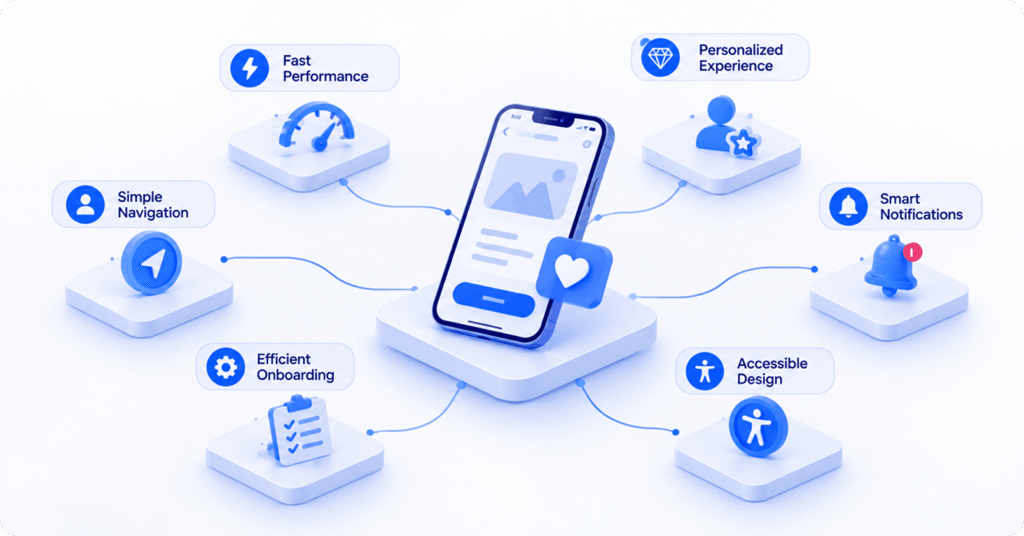
Why Mobile UX Decides Whether Users Stay
The users will not spend time reading a manual when using mobile applications; in seconds, they decide whether the application deserves their attention. Excellent user experience (UX) means that the application does not need a manual to make users understand how it works, assists in helping the users get what they want by using less taps, and provides them with reasons to come back again. User retention is a result of UX.
Following effective UI/UX product design principles helps businesses create mobile experiences that are intuitive, accessible, and aligned with user expectations.
1. Create an Efficient and Effective Onboarding Process
Onboarding is your initial opportunity to prove your worth.
- Keep it quick; preferably within three screens
- Focus on providing the value, not the features
- Allow users to skip and navigate freely
- Request permissions only when necessary and provide reasoning
Why it’s important: The faster you enable users to succeed, by booking, saving or accomplishing something, the better the chances of their return.
2. Keep Navigation Simple and Reduce Effort
Onboarding is your first and best chance to show value.
- Create a bottom navigation bar with 3 to 5 main segments
- Put important actions within reach of the thumb
- Provide social authentication, biometric authentication, or form auto-fill
- Don’t make long forms; allow saving progress
Why it matters: Each additional tap and field will cost you users. If you require six taps, reconsider the process and try to make it in just three taps.
3. Make the App Fast
Speed is part of UX. A slow app feels broken, even when it works.
Consider focusing on:
- Fast loading
- Using skeleton or loading screens instead of a white page
- Optimized images and lightweight pages
- Smooth scrolling
- Just a few seconds of delay could make the user close the app for good.
Why it matters: Users who reach their first success quickly, such as booking, saving, or completing a task, are far more likely to return.
4. Reduce Effort at Every Step
Every extra tap, field, or decision costs you users. Cut anything that isn’t needed.
Ways to reduce friction:
- Use social sign-in, biometric sign-in, or magic link sign-ins
- Use autofill and smart defaults
- Use the correct input type (number pad for phone numbers, etc.
- Persist the data to make users come back later from where they stopped
- Keep the form short; split the long one into several steps
- If a particular process consists of six phases, think about whether three would be enough.
Why it matters: Reducing unnecessary steps makes it easier for users to complete tasks quickly, minimizes frustration, and encourages them to continue using the app.
5. Personalize the Experience
The accessible design is advantageous to all types of users and not only the disabled ones.
- Simple methods of customization:
- Use high contrasting colors and font sizes
- Provide sufficient size of touch targets
- Enable screen readers and text resizing
- Do not use color as the sole way of communicating information
Why it matters: The relevance is because it will ensure that your target audience increases and assist users when they use their gadgets outdoors and with a single hand.
6. Use Notifications Wisely
Use Notifications and Analytics to Improve User Engagement
- Push notification can be a reason for returning the user, as well as for uninstallation.
- Retention measurement after the 1st, 7th, and 30th day
- Gaps in onboarding and important workflows detection
- Usability/A/B testing of interface and texts
- Application store ratings and support requests review
Why it matters: Little changes done regularly according to metrics result in higher retention.

Build User Trust Through Privacy and Security
Security and privacy play a crucial role in achieving good mobile app UX. Users will be motivated to use the application if they feel that their data is safe. Unnecessary permissions, vague policies, and any other issues related to privacy can negatively influence users’ behavior.
These considerations are equally important when developing secure mobile applications that protect user information without compromising usability.”
When designing mobile app UX, companies should concentrate on security measures and privacy settings.
Best practices:
- Explain Data Collection:
Clarify how the app requires specific data like email address, phone number, location data.
- Make Privacy Setting Accessible:
Ensure that the privacy setting is accessible so that the user can configure their notifications, data sharing, etc.
- Employ Secure Authentication:
Use two factor authentication, fingerprint scanning, facial recognition, and password for secure authentication.
- Obtain Required Permissions
Permission should be requested only when the feature requires it. Thus, an application like video call will require access to the device’s camera and microphone, but a calculator doesn’t.
- Be Clear About Data Usage Policy
Users must be informed about the information being collected by the app, its uses, storage place, and if it is shared with third parties.

Quick Checklist: Is Your App Built to Retain Users?
- Users can find value within the first minute
- Navigation is straightforward and predictable
- It loads fast
- Tasks require the least number of steps possible
- The content seems relevant and useful
- Notifications are both useful and manageable
- It adheres to accessibility guidelines
- The error messages are constructive
- You measure retention and you respond to the metrics

Common Mobile App UX Mistakes to Avoid
Even well-built apps lose users to a few repeated design mistakes.
- Forcing sign-up before users see any value
- Overloading onboarding with long tutorials and too many permission requests
- Cluttered screens with too many actions competing for attention
- Hiding key features behind unclear icons or deep menus
- Slow load times and blank screens with no loading feedback
- Vague error messages that don’t explain what went wrong or how to fix it
- Tiny buttons and low-contrast text that are hard to tap and read
- Sending generic notifications to every user

How Aseef Designs Mobile App UX Design That Improves User Retention
-
UX audit and gap analysis:
-
User journey mapping:
-
Wireframes and prototypes:
-
Usability Testing:
-
UI and Design Systems:
-
Cross-platform design for iOS and Android:
-
Accessibility-first design process:
-
Handover of design to development:
CONCLUSION
Aseef ensures privacy and security at every step in designing the mobile application UX to ensure safety and reliability for users. Once users feel that their private details are safe and secure from any external threat, they would become more involved with the application and trust it, which means that they would use it repeatedly.
Furthermore, user trust is dependent on the assurance of consistency of privacy and security. With new innovations within mobile apps, privacy and security policies have to be adjusted accordingly to keep up with the ever-changing standards of the users. Understanding all these considerations enables companies to come up with mobile apps that safeguard users’ information and build their trust.
Blog Summary
- Explains why mobile app UX plays an important role in user retention and how first impressions influence whether users continue using an application.
- Highlights the importance of simple onboarding, intuitive navigation, fast loading speeds, and reducing unnecessary steps to improve the mobile app experience.
- Covers how personalization, accessibility, and relevant push notifications help create a convenient and engaging experience for different types of users.
- Discusses common mobile app UX mistakes, including complicated registration, cluttered screens, unclear error messages, and excessive permission requests.
- Explores how privacy settings, secure authentication, and transparent data collection practices help build user trust and encourage long-term engagement.
- Explains how Aseef improves mobile app UX through UX audits, user journey mapping, wireframing, prototyping, usability testing, and accessibility-focused design.
Frequently Asked Questions (FAQs)
What are the most important mobile app UX best practices?
The most important mobile app UX best practices include simple onboarding, intuitive navigation, fast loading speeds, accessible design, personalized experiences, and secure authentication. These practices help users complete tasks easily and improve overall app satisfaction.
How does mobile app UX affect user retention?
Mobile app UX directly influences user retention by determining how easily people can interact with an application. A smooth experience reduces frustration, helps users find value quickly, and gives them more reasons to return.
How can businesses improve mobile app onboarding?
Businesses can improve onboarding by keeping registration simple, using short instructions, highlighting essential features, and allowing users to skip unnecessary steps. Requesting permissions only when needed also makes the initial experience smoother.
Why is navigation important in mobile app UX design?
Simple navigation helps users find information and complete actions without confusion. Clear menus, familiar icons, accessible buttons, and logical screen layouts reduce unnecessary
How can a UI/UX design agency improve mobile app user retention?
A UI/UX design agency can improve user retention through UX audits, user journey mapping, wireframing, prototyping, and usability testing. These activities help identify usability problems and create an experience that encourages users to continue using the application.
How much does mobile app UI/UX design cost?
The cost of mobile app UI/UX design depends on the application's complexity, number of screens, features, research requirements, and design specifications. A simple application generally requires less design work than a feature-rich platform with multiple user journeys and integrations.
How long does it take to complete mobile app UI/UX design?
The timeline depends on the project scope, number of screens, user research, prototyping, and testing requirements. A basic application may take a few weeks, while complex applications require more time for research, design, and validation.
Why should I choose Aseef for mobile app UI/UX design?
Aseef combines user research, UX strategy, wireframing, prototyping, usability testing, and consistent UI design to create intuitive mobile experiences. Our team focuses on making applications easier to navigate, accessible across devices, and aligned with business goals.
Publication Date
Category
- UI/UX
Table of Contents
- Mobile App UX Best Practices That Keep Users Coming Back
- Why Mobile UX Decides Whether Users Stay
- Build User Trust Through Privacy and Security
- Quick Checklist: Is Your App Built to Retain Users?
- Common Mobile App UX Mistakes to Avoid
- How Aseef Designs Mobile App UX Design That Improves User Retention
- Conclusion



Let’s start a project today
Start your project with us and unlock innovative solutions tailored to your needs. Our team is ready to bring your ideas to life and deliver exceptional results.




Let's start a project today
Start your project with us and unlock innovative solutions tailored to your needs. Our team is ready to bring your ideas to life and deliver exceptional results.
Request Solution